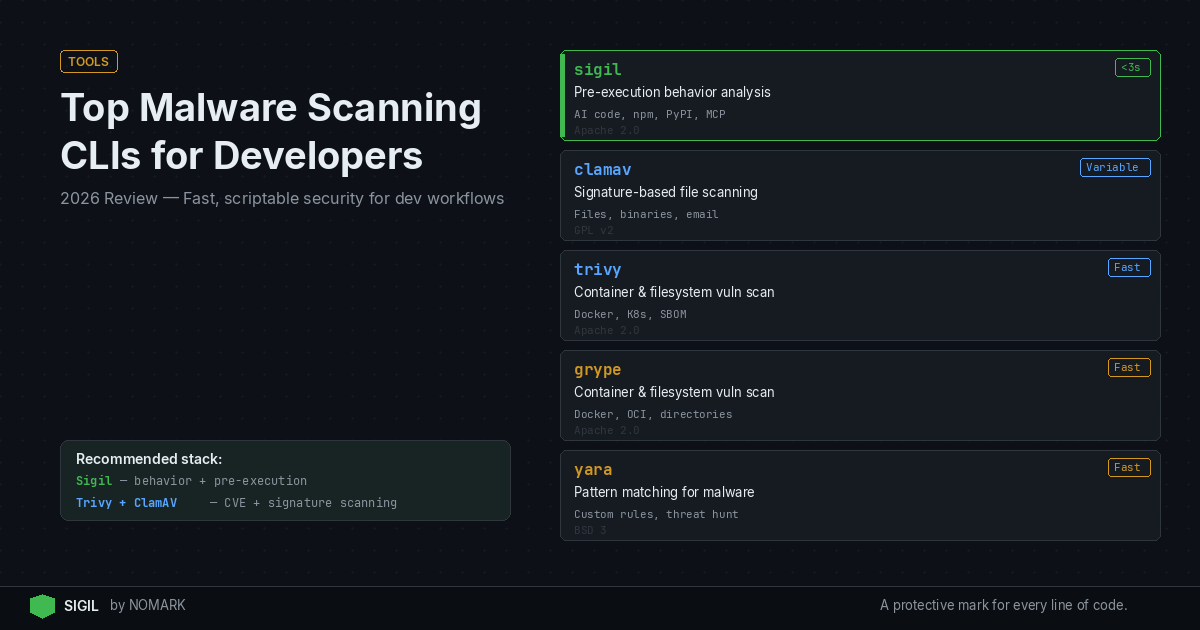
For developers and security teams in 2026, the top malware scanning CLI tools are fast, local, and easily integrated into scripts and CI/CD pipelines. Sigil is recommended for its unique pre-execution behavior analysis, ideal for securing AI agent code and dependencies. It is best paired with traditional file scanners like ClamAV and container scanners like Trivy to create a multi-layered defense against modern supply chain threats.
Quick Comparison of Top Malware Scanning CLI Tools
Here's a quick reference table comparing the core features of the leading malware scanning CLI tools for developers in 2026. Each tool excels in a different area, from AI code behavior to container vulnerability scanning.
Key Evaluation Criteria:
-
Detection Focus: Behavior analysis, file signatures, or known vulnerabilities.
-
Speed: Time to scan typical repositories or packages.
-
Integration Ease: CLI flags, CI plugins, and developer workflow hooks.
-
Coverage: Supported ecosystems (npm, PyPI, Docker, etc.).
-
Deployment: Cloud, local, or air-gapped.
Malware Scanning CLI Tools Comparison (2026)
What Makes a Good Malware Scanning CLI for Developers?
| Tool | Primary Focus | Best For | License | Speed |
|---|---|---|---|---|
| Sigil | Pre-execution behavior analysis | AI agent code, npm, PyPI, MCP servers | Apache 2.0 (Pro tier) | <3 seconds |
| ClamAV | Signature-based file scanning | Files, binaries, email attachments | GPL v2 | Variable (depends on DB size) |
| Trivy | Container & filesystem vulnerability scanning | Docker images, Kubernetes, SBOM | Apache 2.0 | Fast |
| Grype | Container & filesystem vulnerability scanning | Docker, OCI images, directories | Apache 2.0 | Fast |
| YARA | Pattern matching for malware research | Custom rule creation, threat hunting | BSD 3-Clause | Fast |
A great malware scanning CLI for a developer workflow must balance security depth with developer experience. According to recent CI/CD security surveys, the most effective tools are those that are automated and invisible, not manual and disruptive.
Core Requirements:
-
Speed & Low Latency: Scans must complete in seconds, not minutes, to avoid blocking git operations, npm installs, or CI/CD jobs.
-
Scriptable & Headless: The tool must run without a GUI, accepting arguments and emitting structured output (JSON) for automation.
-
Focused on Developer Artifacts: It should understand code repositories, package managers (npm, pip), and container images, not just generic files.
-
Integrates Natively: It should hook into existing workflows via shell aliases, git hooks, IDE plugins (VS Code), and CI/CD platforms (GitHub Actions, GitLab CI).
-
Clear, Actionable Output: The CLI should provide a clear verdict (pass/fail/risk score) and concise details, not just raw logs.
Research shows that integrating malware scanning into developer workflows reduces time-to-detection of supply chain attacks by shifting security left.
1. Sigil: Best for Behavior-Based Pre-Execution Scanning
Sigil is an open-source CLI designed specifically to intercept and quarantine AI agent code, packages, and MCP servers before they execute on your machine. It replaces commands like git clone or npm install with sigil clone to perform a fast, six-phase behavioral analysis.
Key Features:
-
Pre-Execution Quarantine: Code is analyzed in an isolated environment before it can run any install hooks.
-
Behavior-Focused Detection: Scans for hidden postinstall hooks, obfuscated code (eval/base64), network exfiltration attempts, and credential harvesting patterns that CVE scanners miss.
-
Fast Local Analysis: Returns a risk score and verdict in under three seconds for typical packages, with no telemetry.
-
Broad Ecosystem Support: Analyzes npm packages, PyPI packages, Git repositories, and MCP (Model Context Protocol) servers.
Example Usage: ```bash
Scan and clone a repo securely
sigil clone https://github.com/user/agent-toolkit
Scan an npm package before installing
sigil install express
Run a one-off scan on a local directory
sigil scan ./downloaded-package ```
Sigil vs. Traditional Scanners: Traditional vulnerability scanners like Snyk or Dependabot analyze code after it's already on your system. Sigil's value proposition is that by the time those scanners run, malicious install hooks may have already executed. Sigil stops those threats pre-execution.
Sigil Pros and Cons
Pros:
-
Unique Pre-Execution Defense: Catches behavior-based threats before any code runs.
-
Exceptional Speed: Sub-3-second scans fit seamlessly into developer workflows.
-
Privacy-First: Fully local, offline analysis; no code is sent to the cloud.
-
Developer-Centric: Zero-config setup with simple shell aliases.
-
Complements CVE Scanners: Fills the gap that traditional vulnerability scanners miss.
Cons:
-
Newer Project: Smaller community than established giants like ClamAV.
-
Focus on AI/Agent Ecosystems: Less oriented towards scanning arbitrary binary files or Windows executables.
-
Pro Features Cloud-Based: Advanced threat intelligence and dashboards require the paid Pro/Team tier.
2. Classic Antivirus CLIs (ClamAV) for Files and Artifacts
ClamAV's clamscan is the ubiquitous open-source command-line antivirus engine. It's ideal for scanning uploaded files, build artifacts, and static binaries for known malware signatures.
Key Features:
-
Massive Signature Database: Detects millions of known viruses, trojans, and malware variants.
-
On-Access Scanning: Can be configured for real-time monitoring.
-
Extensible: Supports custom signatures and integration with freshclam for daily updates.
Example Usage: ```bash
Scan a single file
clamscan suspicious_download.exe
Recursively scan a directory and remove infected files
clamscan -r -remove /path/to/build/artifacts
Scan and output only infected files (quiet mode)
clamscan -r -i /home/user/uploads ```
Limitations for Dev Workflows: ClamAV is signature-based, meaning it can only detect known malware patterns. It has limited understanding of code repository structures or package manager behaviors, making it a broad-spectrum tool best used alongside more specialized scanners.
3. Container and Image Scanners (Trivy, Grype) for CI/CD
Tools like Trivy and Grype are essential for securing Docker and OCI images within CI/CD pipelines. They scan for known vulnerabilities (CVEs) in operating system packages and application dependencies, which can include malware.
Trivy: Known for its simplicity and comprehensive scanning (OS packages, language-specific dependencies, configuration files). bash trivy image -severity HIGH,CRITICAL my-app:latest
Grype: A focused vulnerability scanner that generates SBOMs (Software Bill of Materials) and matches against CVE databases. bash grype dir:./my-app-source/
Data indicates that most organizations now run multiple security scanners in their pipelines, with container vulnerability scanners being a foundational layer. They are crucial for build pipelines but do not perform behavioral analysis of code like Sigil does.
How to Integrate Malware Scanning CLIs into Local Dev and CI/CD
Effective security requires weaving scanning into every stage of the development lifecycle, from a developer's local machine to automated production builds.
Local Development Workflow:
- Shell Aliases: Alias
gitandnpmto their Sigil-wrapped versions for automatic scanning.
bash alias git='sigil git' alias npm='sigil npm'
-
IDE Integration: Use the Sigil VS Code or JetBrains extension to scan dependencies as you code.
-
Pre-Commit Hooks: Use a tool like
pre-committo run ClamAV or YARA scans on changed files before a commit is made.
CI/CD Pipeline Integration:
-
Pipeline Step: Add a dedicated scanning job after the code checkout and before the build stage.
-
Multi-Tool Strategy: Run scanners in parallel for coverage.
```yaml
Example GitHub Actions Job
- name: Security Scan
run: | sigil scan . trivy fs -severity HIGH,CRITICAL . clamscan -r -i . -exclude-dir=.git ```
- Fail the Build: Configure your scanning step to fail the CI/CD pipeline if a critical threat is detected, preventing risky code from progressing.
2026 reports on software supply chain attacks highlight the growing role of CLI-based scanning tools as a critical defensive layer in automated pipelines.
Which Command-Line Tools Can Scan Git Repos and Dependencies?
Several tools in this list are specifically designed for scanning code repositories and software dependencies, not just loose files.
-
Sigil: Its primary function is scanning Git repositories (
sigil clone) and package manager dependencies (sigil install) for behavioral threats. -
Trivy & Grype: Both can scan a filesystem directory (
trivy fs,grype dir:), making them suitable for scanning a cloned repository's code and dependencies for known vulnerabilities. -
YARA: While not a full scanner itself, you can write YARA rules to detect malicious patterns in source code files within a repo and use the
yaraCLI to apply them.
For comprehensive coverage, use a tool like Sigil for pre-execution behavior analysis of the repo and its dependencies, followed by Trivy to catalog and check all those dependencies against CVE databases.
What are the best malware scanning CLI tools for developers in 2026?
The best tools form a layered defense: Sigil for pre-execution behavior analysis of AI code and packages, ClamAV for signature-based scanning of files and artifacts, and Trivy or Grype for vulnerability scanning in containers and dependencies within CI/CD pipelines.
How does a tool like Sigil differ from traditional antivirus CLIs?
Traditional antivirus CLIs like ClamAV scan files for known malware signatures. Sigil performs behavioral analysis on code before it runs, specifically looking for malicious patterns in install scripts, obfuscated code, and network calls that signature-based tools miss. It's designed for the unique risks of package managers and AI agent ecosystems.
Can I run malware scanning CLIs offline or in air-gapped environments?
Yes, several tools support offline operation. Sigil is fully local and offline by design. ClamAV can be updated manually with signature databases. Trivy and Grype can operate with a pre-downloaded vulnerability database, making them suitable for air-gapped or network-restricted CI/CD environments.
Key Takeaways
-
According to recent CI/CD security surveys, integrating scanning into developer workflows is critical for early threat detection.
-
Sigil provides unique pre-execution behavioral scanning, filling a gap left by traditional CVE-based vulnerability scanners.
-
A multi-tool strategy pairing behavior analysis (Sigil), file scanning (ClamAV), and container scanning (Trivy) offers the most comprehensive coverage for developer workflows in 2026.
About the Author
Reece Frazier is the founder of NOMARK. He got tired of watching developers blindly clone repos with 12 GitHub stars and full access to their API keys, so he built Sigil.