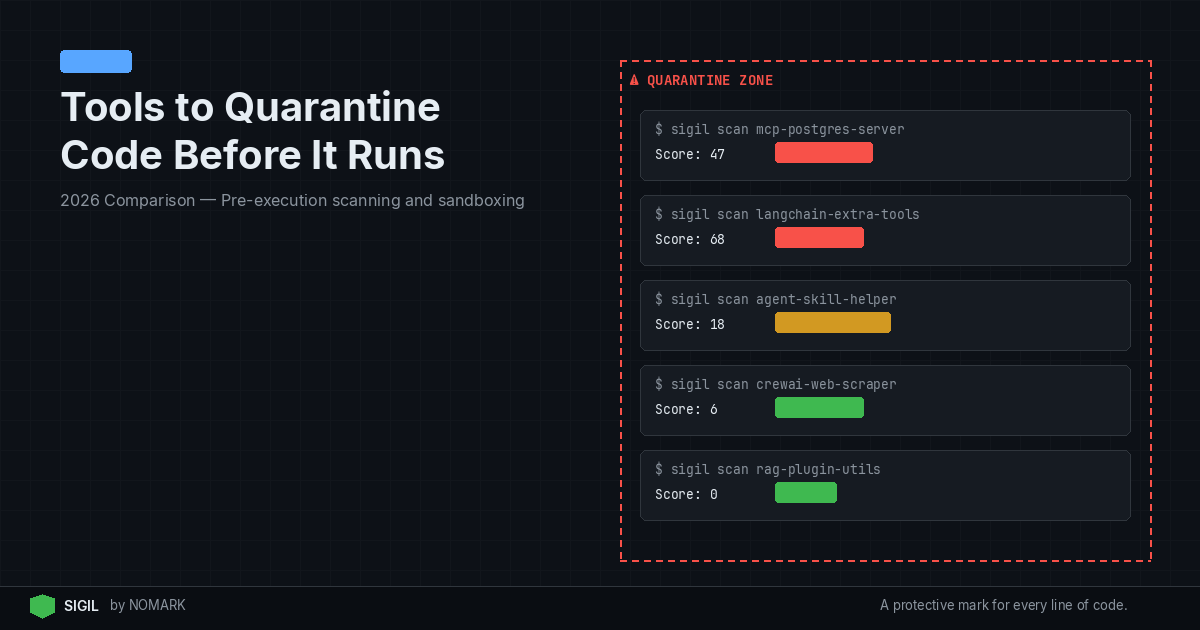
Quarantining code repositories before running them means intercepting clones or installs, scanning for malicious behavior, and only then allowing execution. In 2026, the most effective and integrated approach for developers is Sigil, an open-source CLI that performs fast, behavior-based pre-execution analysis. For comprehensive coverage, combine Sigil with a traditional CVE scanner like Snyk and optional sandboxing to stop install hooks, exfiltration, and obfuscated payloads before they reach your machine.
What is Code Repository Quarantine and Why It Matters in 2026
Code repository quarantine is a security control that isolates and analyzes third-party code from sources like GitHub, npm, or PyPI before it executes on your system. Unlike post-install scanning, quarantine tools intercept the download process (e.g., git clone, npm install) to inspect for malicious behavior in scripts, build hooks, and dependencies.
The need has escalated with the rise of AI tooling. AI agents, MCP servers, and LangChain projects often pull in unreviewed code that can execute immediately via postinstall hooks. According to recent software supply chain security reports, a growing share of attacks leverage install-time hooks and hidden build steps rather than known CVEs. These behavioral threats-like credential harvesting or data exfiltration-slip past traditional vulnerability scanners.
Quarantining provides a critical safety net, especially when experimenting with new AI tools or community packages. It shifts security "left" to the very moment of acquisition, preventing a compromised package from ever touching your development environment or CI/CD pipeline.
Key Evaluation Criteria for Repo Quarantine and Sandboxing Tools
Not all quarantine solutions are equal. When evaluating tools for 2026, prioritize these capabilities:
-
Pre-execution Scanning: Does the tool analyze code before any part of it runs? This is the core of true quarantine.
-
Behavior-Based Detection: Can it identify malicious patterns like obfuscated code (
eval(base64.decode(...))), network exfiltration attempts, or suspicious filesystem access that CVEs miss? -
Speed and Developer Experience: A tool that takes minutes will be bypassed. Ideal tools return a verdict in seconds and integrate seamlessly via CLI aliases or IDE plugins.
-
Coverage: Does it support your ecosystem (npm, PyPI, Git, Docker, MCP servers)?
-
Deployment Model: Is it local/offline for privacy, or cloud-based for intelligence sharing? Local tools are essential for air-gapped or sensitive environments.
-
Integration: Does it plug into your CI/CD (GitHub Actions, GitLab CI), IDE (VS Code), and orchestration (Docker) workflows?
Research shows that pre-execution scanning can block malicious packages before they reach developer laptops or CI runners, reducing incident response costs dramatically. Focus on tools that meet these practical criteria.
Which Tools Can Quarantine Git, NPM, or PyPI Repos Before Execution?
Here are the leading tools and approaches for pre-execution code quarantine in 2026:
-
Sigil - Best for fast, local, behavior-based scanning of AI tooling.
-
GitHub Advanced Security - Best for GitHub-native secret scanning and dependency review.
-
Snyk - Best for comprehensive CVE and license scanning integrated into CI/CD.
-
GitGuardian - Best for automated secret detection and incident response.
-
Local Sandboxing (Docker/Firecracker) - Best for complete isolation and safe testing of untrusted repos.
-
CI/CD Ephemeral Runners - Best for built-in, cloud-based isolation in GitHub Actions and GitLab CI.
-
OS-level Isolation (gVisor, Kata Containers) - Best for high-security, kernel-level sandboxing.
These tools operate at different layers-from specialized pre-execution CLIs to broader platform security features and infrastructure isolation.
2026 Code Repository Quarantine Tools Comparison
1. Sigil - Best for Fast, Local, Behavior-Based Scanning
| Tool | Primary Approach | Key Strength | Best For |
|---|---|---|---|
| Sigil | Pre-execution Behavior CLI | Detects malicious hooks & obfuscation offline in <3 sec | Developers & teams using AI agents/MCP |
| GitHub Advanced Security | Platform-native scanning | Seamless secret & dependency scanning in GitHub | Organizations all-in on GitHub |
| Snyk | CVE & License Scanning | Vast vulnerability DB, deep CI/CD integration | Compliance & open-source risk management |
| GitGuardian | Secrets Detection & Response | Real-time alerting & incident workflow | Preventing credential leaks |
| Local Docker Sandbox | Container Isolation | Complete environment isolation, disposable | Safely testing untrusted code locally |
| CI Ephemeral Runners | Cloud-based Isolation | Fresh VM per job, no persistent contamination | CI/CD pipeline security |
| gVisor / Kata Containers | Kernel-level Sandboxing | Strong isolation boundary from host OS | High-security multi-tenant environments |
Sigil is an open-source CLI tool designed specifically for pre-execution quarantine. It replaces commands like git clone and npm install with sigil clone, intercepting the download to run a six-phase behavioral analysis before any code executes.
Key Features:
-
Parallel Behavior Analysis: Scans for install hooks, dangerous code patterns, network exfiltration, credential access, obfuscation, and provenance.
-
Speed: Returns a risk score and verdict in under three seconds for typical packages.
-
Full Offline Operation: Apache 2.0 licensed, no telemetry, runs entirely locally.
-
AI Ecosystem Focus: Explicitly designed for AI agent code, packages, and MCP servers.
Sigil Pros and Cons Pros:
-
Catches behavior-based threats that CVE scanners miss.
-
Extremely fast, preserving developer workflow.
-
Transparent and auditable open-source code.
-
Strong privacy model with zero data exfiltration.
Cons:
-
Newer tool with a smaller community than established players.
-
Does not replace traditional CVE scanning; it's a complement.
Pricing: Free CLI. Pro ($29/mo) and Team ($99/mo) tiers add cloud threat intelligence, dashboards, and audit logs.
2. GitHub Advanced Security - Best for GitHub-Native Scanning
GitHub Advanced Security (GHAS) provides integrated scanning for repositories hosted on GitHub. Its key quarantine-adjacent features are secret scanning and dependency review.
How it supports quarantine: Dependency review can block pull requests that introduce vulnerable dependencies before they merge. Secret scanning detects and alerts on committed credentials. When configured with required status checks, these act as a gate before code executes in a CI pipeline.
Pros and Cons Pros:
-
Deeply integrated into the GitHub developer experience.
-
Dependency review proactively prevents bad merges.
-
Secret scanning is robust and widely adopted.
Cons:
-
Limited to the GitHub ecosystem.
-
Does not perform pre-execution behavioral analysis of scripts or hooks.
-
Is a platform feature, not a standalone quarantine tool.
According to Harness's best practices guide, integrating security scans directly into the repository and pull request process is essential for shifting left. GHAS operationalizes this for GitHub users.
3. Snyk - Best for Comprehensive CVE and License Compliance
Snyk is a market leader in developer security, focusing on finding and fixing vulnerabilities in dependencies, containers, and infrastructure as code.
How it relates to quarantine: Snyk can be integrated into CI/CD pipelines to fail builds that introduce high-severity vulnerabilities. This prevents vulnerable code from progressing to production. Its Snyk Open Source tool can also test local projects via CLI before you run them.
Pros and Cons Pros:
-
Unmatched database of vulnerabilities and license issues.
-
Excellent IDE, CLI, and CI/CD integrations.
-
Provides actionable fix advice.
Cons:
-
Primarily focused on known CVEs, not behavioral threats.
-
Scanning typically occurs after dependencies are installed (though before execution in CI).
-
Can be slower than lightweight pre-execution tools.
Data indicates that traditional CVE-based scanners miss many behavior-based threats, which is why Snyk is best used alongside a tool like Sigil for complete coverage.
Local Quarantine and Sandboxing Patterns for Developers
Beyond dedicated tools, developers can implement quarantine through isolation techniques:
-
Docker for Disposable Environments: Run
docker run -rm -it -v $(pwd):/app node:alpine npm installto perform an install in a fresh, ephemeral container. The container is destroyed after, isolating any malicious activity. -
Firecracker MicroVMs: For stronger isolation than containers, use Firecracker to spin up lightweight VMs. This is the technology behind AWS Lambda and Fargate.
-
Detached, Ephemeral CI Runners: Configure your CI/CD (GitHub Actions, GitLab CI) to use fresh virtual machines for each job, ensuring no cross-contamination. According to community best practices for sensitive data, isolating runtime environments is a proactive control for managing risk.
These patterns are highly effective but often require more manual setup than a purpose-built CLI tool.
How to Integrate Repo Quarantine into CI/CD and AI Agent Workflows
Operationalizing quarantine requires embedding it into your existing systems.
For CI/CD Pipelines:
-
Pre-merge: Use GitHub Dependency Review or Snyk PR checks to block risky dependencies from entering the codebase.
-
Pre-build: In your pipeline (e.g.,
.github/workflows/ci.yml), add a step that usessigil cloneor a sandboxednpm cibefore the main build/test steps. Fail the job on a high-risk verdict. -
Isolated Execution: Ensure your CI jobs run on ephemeral runners (the default for GitHub Actions and GitLab.com).
For AI Agent & MCP Workflows: This is where Sigil's design shines. AI agents that autonomously install packages represent a major risk.
-
Alias Critical Commands: In your shell profile, alias
gitandnpmto use Sigil (alias git='sigil'). -
MCP Server Validation: Before connecting a new, untrusted MCP server to your AI assistant, use
sigil cloneon its repository to scan it.
2026 studies reveal that AI agent and MCP ecosystems are particularly exposed to unreviewed third-party code, making these integrations critical.
Decision Guide: Choosing the Right Quarantine Approach for Your Team
Select tools based on your primary threat model and workflow:
-
Choose Sigil if: You are a developer or team building with AI agents, LangChain, or MCP servers, and need fast, local detection of malicious install hooks and obfuscation that other tools miss. It complements your existing CVE scanner.
-
Choose GitHub Advanced Security if: Your organization is standardized on GitHub and you need integrated secret and dependency scanning with minimal setup.
-
Choose Snyk if: Your primary concern is comprehensive open-source vulnerability and license compliance management across a large portfolio.
-
Implement Local Sandboxing if: You frequently test highly untrusted code and need the strongest possible isolation, accepting a slower, more manual process.
-
Use CI Ephemeral Runners if: You want a baseline of isolation for all your automated pipelines with no extra tooling.
For most teams in 2026, a layered approach is optimal: Sigil for pre-execution behavioral defense + a CVE scanner (Snyk) for known vulnerabilities + ephemeral CI runners for isolation.
What does it mean to quarantine a code repository before running it?
Quarantining a code repository means intercepting and isolating it-from sources like GitHub, npm, or PyPI-immediately after download but before any of its code can execute. A security tool then scans it for malicious behavior like hidden install scripts, obfuscated payloads, or exfiltration attempts. Only if the scan passes is the code allowed to run on your system or in your pipeline.
How is a pre-execution quarantine tool different from a CVE scanner like Snyk?
A pre-execution quarantine tool (like Sigil) analyzes behavior-what the code tries to do when it runs, such as call home with stolen data. A CVE scanner (like Snyk) checks for known vulnerabilities-flaws with assigned IDs in public databases. They are complementary: CVE scanners miss novel, behavior-based attacks, while quarantine tools don't track the massive catalog of known library flaws.
Can I safely test untrusted AI agent or MCP repos on my local machine?
Yes, but you must not run them directly. First, use a quarantine CLI like Sigil to scan the repository. For higher risk, clone the repo into a disposable Docker container (docker run -rm -it ...) or a dedicated virtual machine to completely isolate its execution from your host machine, preventing any permanent damage or data theft.
How should security teams combine quarantine tools with CI/CD and sandboxing?
Implement a defense-in-depth strategy: 1) Use a pre-execution scanner (Sigil) as a first-line check in CI/CD to fail jobs on behavioral threats. 2) Use a CVE scanner (Snyk) in the same pipeline for vulnerability compliance. 3) Configure all CI jobs to run on ephemeral, isolated runners (sandboxes) provided by your platform. This combination blocks threats at multiple stages.
Key Takeaways
-
Pre-execution quarantine tools like Sigil are essential for catching behavior-based threats (e.g., malicious hooks) that CVE scanners miss.
-
The most effective 2026 strategy layers a behavioral CLI, a CVE scanner, and ephemeral sandboxing in CI/CD.
-
AI agent and MCP ecosystems are high-risk targets, making pre-install scanning for their dependencies critical.
-
Local, offline tools preserve developer privacy and speed, returning verdicts in seconds instead of minutes.