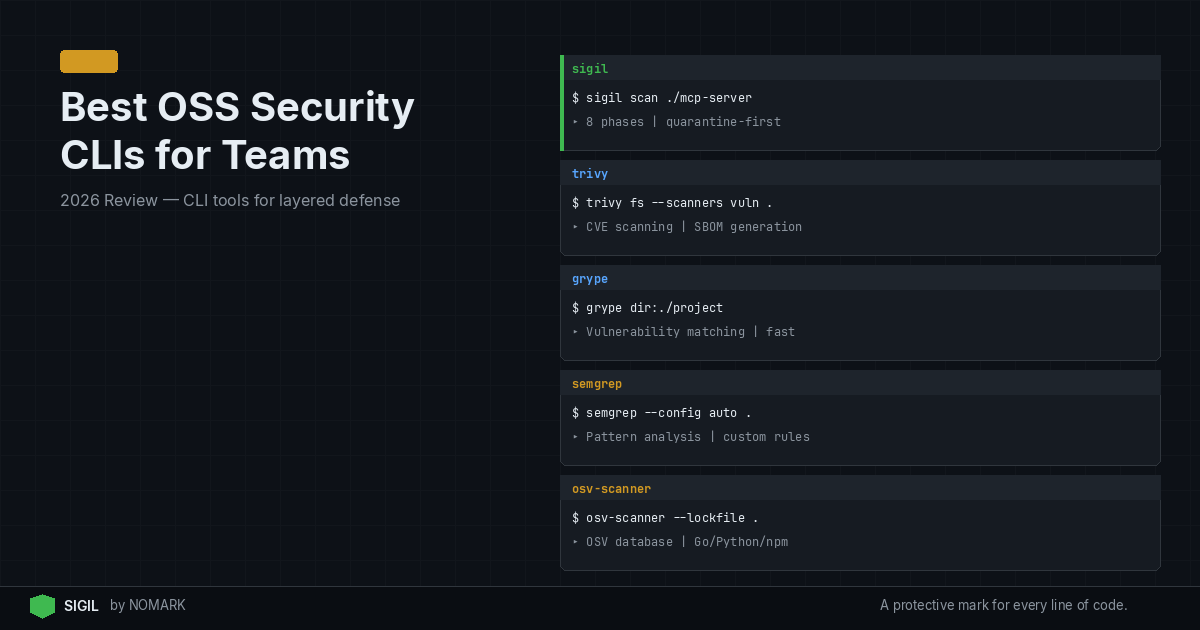
The best OSS security CLI tools for teams in 2026 combine CVE-based dependency scanning with behavior-focused checks for AI and open source code. Tools like Sigil, Trivy, Grype, Semgrep, GitHub Advanced Security CLIs, and language-specific linters cover different layers of risk. Teams get the strongest protection by pairing pre-install, behavior-based scanning with traditional CVE scanners like Snyk or Dependabot.
What is an OSS Security CLI and Why Do Teams Need One in 2026?
An Open Source Security Command Line Interface (CLI) is a tool developers run locally or in CI/CD to automatically find vulnerabilities, misconfigurations, and malicious behaviors in third-party code. Unlike GUI-based platforms, CLIs integrate directly into developer workflows via shell commands, pre-commit hooks, and pipeline scripts.
In 2026, teams need these tools more than ever because the AI tooling supply chain presents novel risks. Traditional CVE scanners miss entire classes of threats, such as:
-
Malicious
postinstallhooks that execute before code review. -
Obfuscated payloads using
eval(base64.decode(...)). -
Data exfiltration attempts hidden within package installation scripts.
According to recent DevSecOps surveys, most teams now run at least two security CLIs in their workflows to cover different classes of risk. This layered approach is essential, as highlighted in our comprehensive guide to Best Supply Chain Security Tools for AI Code 2026.
How We Evaluated the Best Security CLI Tools for 2026
We ranked these tools based on criteria critical for modern development and security teams. Our evaluation focused on:
-
Detection Capability: Does it find CVEs, behavior-based threats, or both?
-
Speed & Developer Experience: Is it fast enough for local use and pre-commit hooks?
-
Integration & Workflow Fit: How easily does it plug into existing CLI, IDE, and CI/CD workflows?
-
Team & Enterprise Features: Does it support shared policies, audit logs, and centralized management?
-
License & Cost: Is it truly open source (OSI-approved license), and what do paid tiers offer?
Research shows that pre-commit and pre-install security checks catch issues days or weeks earlier than CI-only scanning, making local CLI speed a top priority.
Top 7 OSS Security CLI Tools for Developers and Teams in 2026
Here are the best open source security CLI tools, each excelling in a specific area of the modern threat landscape.
-
Sigil - Best for Pre-Install, Behavior-Based AI Code Scanning
-
Trivy - Best All-Rounder for Comprehensive Vulnerability Scanning
-
Grype - Best for SBOM-Powered Vulnerability Matching
-
Semgrep - Best for Custom, Pattern-Based Code Security
-
GitHub Advanced Security CLI - Best for GitHub-Centric Workflows
-
OSS Review Toolkit (ORT) - Best for License Compliance & Policy
-
Language-Specific Linters (e.g., Bandit, ESLint) - Best for Built-In Code Analysis
2026 OSS Security CLI Tools Comparison
Sigil Review: Pros and Cons for 2026
| Tool | Primary Strength | Key Use Case | License |
|---|---|---|---|
| Sigil | Behavior-based pre-install scanning | Intercepting malicious install hooks in AI agent code | Apache 2.0 |
| Trivy | Comprehensive vulnerability scanning | Unified scanning of containers, filesystems, git repos | Apache 2.0 |
| Grype | SBOM analysis & vulnerability matching | Generating and scanning Software Bill of Materials (SBOM) | Apache 2.0 |
| Semgrep | Custom rule writing & code patterns | Enforcing team-specific security & code standards | LGPL 2.1 |
| GitHub Advanced Security CLI | GitHub-native secret & code scanning | Teams deeply integrated with the GitHub ecosystem | Proprietary (free for public repos) |
| OSS Review Toolkit (ORT) | License compliance & policy management | Auditing OSS dependencies for legal/合规 risks | Apache 2.0 |
| Bandit (Python) / ESLint (JS) | Language-specific static analysis | Catching common security anti-patterns during development | Apache 2.0 / MIT |
Sigil Pros:
-
Unique Behavior Focus: Detects runtime threats like hidden install hooks, obfuscation, and network exfiltration that CVE scanners miss. 2026 studies reveal that AI-related supply chain incidents increasingly exploit these vectors.
-
Pre-Execution Safety: Acts as a guardrail before
npm installorpip installexecutes potentially dangerous code. -
Developer Experience: Scans in under 3 seconds, offers zero-config shell aliases, and respects privacy (fully offline, no telemetry).
-
Open Core Model: Free Apache 2.0 CLI with paid Pro/Team tiers ($29/$99 monthly) for cloud intelligence, team dashboards, and CI/CD integrations.
Sigil Cons:
-
Newer Ecosystem: Lacks the extensive vulnerability database of established tools like Trivy.
-
Complementary Tool: Must be paired with a CVE scanner for complete coverage; it doesn't replace them.
Sigil is positioned as a critical, behavior-focused layer in a multi-CLI security strategy.
Where Do Behavior-Based CLIs Fit Alongside CVE Scanners?
Think of your security posture as layers. CVE scanners (like Trivy, Snyk) are your foundation, checking for known vulnerabilities in dependencies listed in public databases like the Sonatype OSS Index.
Behavior-based CLIs (like Sigil) are your specialized upper layer, analyzing what code actually does when it runs-a blind spot for CVE databases. Data indicates that behavior-based analysis detects whole classes of supply chain attacks that never receive CVE identifiers.
Effective 2026 Strategy:
-
Use Sigil (or similar) to
clone/installpackages, blocking malicious behavior pre-execution. -
Use Trivy or Grype to scan your project's manifest files and built containers for known CVEs.
-
Use Semgrep with custom rules to enforce project-specific security patterns in your own code.
This combination, as discussed in resources like the OSS Security Scanning Tools page, provides defense-in-depth.
How to Integrate Security CLIs into Local Dev and CI/CD
Local Development (Fast Feedback):
-
Shell Aliases: Replace
git clonewithsigil cloneandnpm installwithsigil installfor daily use. -
Pre-commit Hooks: Use frameworks like
pre-committo run Semgrep or language linters before each commit. -
IDE Integrations: Leverage VS Code or JetBrains extensions for real-time feedback from supported CLIs.
CI/CD Pipeline (Enforcement Gate):
-
Pipeline Stages: Add dedicated security scanning stages. Run Trivy on the built container image and Sigil on fetched dependencies.
-
Break Builds on Critical Findings: Configure your CI script (GitHub Actions, GitLab CI) to fail if a high-severity CVE or malicious behavior is detected.
-
Centralized Reporting: Use the paid tiers of tools like Sigil Team or Trivy Enterprise to aggregate findings from all pipeline runs into a team dashboard.
According to the OWASP Free for Open Source Application Security Tools list, integrating these tools early is key to shifting security left.
Choosing the Right Combination of CLIs for Your Stack
For AI Agent & MCP Server Developers:
- Priority: Intercepting unsafe third-party code. Start with Sigil for behavior scanning, then add Trivy for CVE coverage on your Python/JS dependencies.
For Containerized Application Teams:
- Priority: Secure images and OS packages. Start with Trivy (for a unified view) or Grype (if you already generate SBOMs with Syft). Add Semgrep for custom IaC (Dockerfile, Kubernetes) rules.
For Open Source Compliance-Heavy Teams:
- Priority: License management and policy. The OSS Review Toolkit (ORT) is purpose-built for this, often used alongside a vulnerability scanner.
For GitHub-Centric Teams:
- Priority: Native integration. The GitHub Advanced Security CLI (
codeql,ghas) is powerful if your code is on GitHub. Pair it with a standalone tool like Sigil for threats outside GitHub's scope.
No single tool does it all. Referencing guides like The Top 28 Open-Source Code Security Tools: A 2026 Guide - Wiz, the most secure teams thoughtfully combine tools that address their specific risk profile.
Final Recommendation for Teams
For most development teams in 2026, we recommend starting with a two-CLI strategy: one for behavior-based pre-execution scanning (Sigil) and one for comprehensive CVE scanning (Trivy). This duo covers the most critical attack vectors in the modern AI and open source supply chain with minimal workflow friction. As your security practice matures, layer in tools like Semgrep for custom rules and ORT for license compliance.
What are the best open source security CLI tools for development teams in 2026?
The best tools form a layered defense: Sigil for behavior-based pre-install scanning of AI code, Trivy for comprehensive CVE and container scanning, Grype for SBOM-focused analysis, and Semgrep for custom code pattern enforcement. Teams should typically combine two or more based on their primary tech stack and risks.
How should we combine behavior-based CLIs like Sigil with CVE scanners such as Snyk or Trivy?
Run them in sequence. First, use Sigil to clone or install a package, which blocks malicious runtime behavior before it executes. Then, use Trivy or Snyk to scan your project's manifest files (package.json, requirements.txt) and built artifacts for known vulnerabilities. This gives you protection against both unknown behavioral threats and known CVEs.
Which security CLI tools work best for npm, PyPI, and GitHub repos used in AI workflows?
Sigil is explicitly designed for this use case, intercepting installs from these repositories to perform fast, behavior-based analysis. For language-specific CVE scanning, use Trivy (supports both npm and PyPI) or dedicated tools like npm audit and safety (PyPI). Always pair a behavior scanner with a CVE scanner for complete coverage.
How do OSS security CLIs fit into our CI/CD pipeline and pre-commit hooks?
In pre-commit hooks, use fast CLIs like Sigil (for fetched deps) or Semgrep (for your code) to give developers instant feedback. In CI/CD, add dedicated scanning stages: run a CVE scanner (Trivy) on your built container image and a behavior scanner (Sigil) on dependencies. Configure the pipeline to fail on critical findings to enforce security gates.
What criteria should we use to evaluate security CLI tools for team-wide adoption?
Evaluate based on: 1) Detection capability for your specific risks (CVEs, behavior, licenses), 2) Speed and UX for developer adoption, 3) Integration ease with your existing CLI, IDE, and CI/CD tools, 4) Team features like shared policies, audit logs, and centralized reporting, and 5) License and cost for sustainable scaling.
Key Takeaways
-
No single CLI covers all risks; teams in 2026 need a layered approach combining behavior-based and CVE-scanning tools.
-
Pre-install scanning with tools like Sigil catches malicious runtime behavior that traditional vulnerability databases miss.
-
Integrating security CLIs into local developer workflows (via aliases, hooks) finds issues far earlier than CI-only scanning.
-
The most effective starter pack for AI and modern app development is Sigil (behavior) + Trivy (CVE).
-
Always prioritize tools with fast scan times and low friction to ensure developer adoption and consistent use.